

Uncompleted tasks and frustrated customers become a common sight without a guiding resource like a technical manual.
Technical manuals are designed to provide step-by-step instructions, troubleshooting guides, and best practices to enable users to utilize the full potential of your product or service. They reduce confusion and save time, ensuring users have the necessary resources to overcome any obstacles.
In this blog, we will discuss how to create a technical manual and its types, explore some examples, and understand the role of software for creating technical manuals.
How to Write a Technical Manual
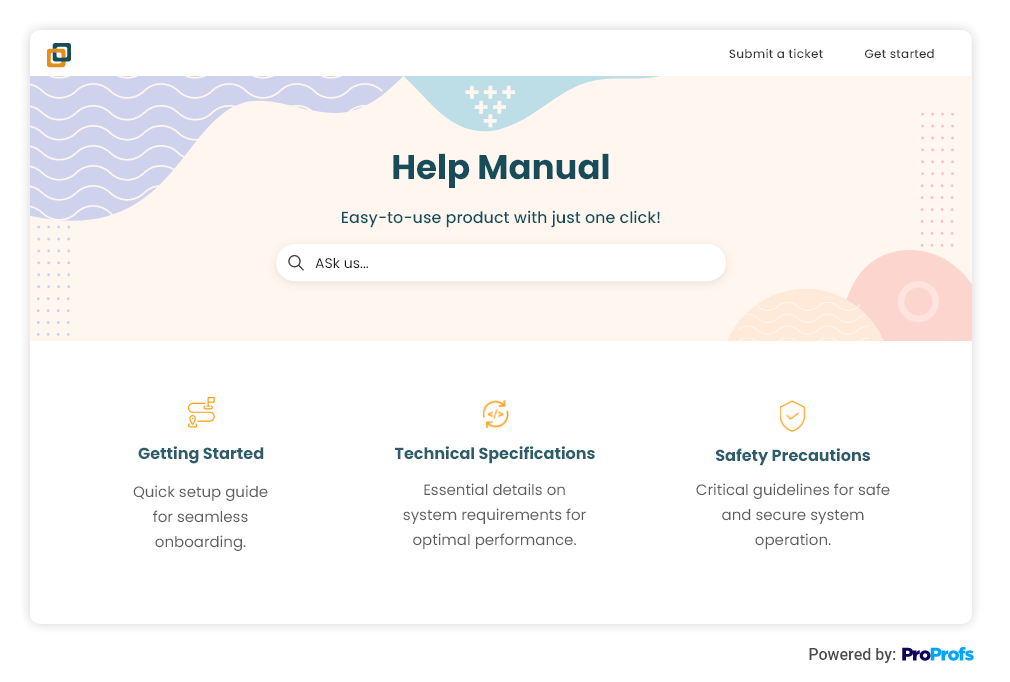
To write insightful technical manuals, it’s essential to include some elements to make the manual comprehensive and user-friendly so that it is understandable for your target audience.
1. Create a Clear Structure
Structuring the manual in a logical manner enables easy navigation for users. Start with an introduction section that provides an overview of the product or system, detailing its primary purpose and benefits.
Divide the remaining sections based on the different aspects of the product or system, such as installation, troubleshooting, and maintenance. Each section should have descriptive subheadings that break down the information further.
The introduction section should give users a clear understanding of the product or system’s purpose and key features. Include a brief history, explain technical terms or acronyms, and outline the benefits of using the product or system.
2. Create a Robust Getting Started Section
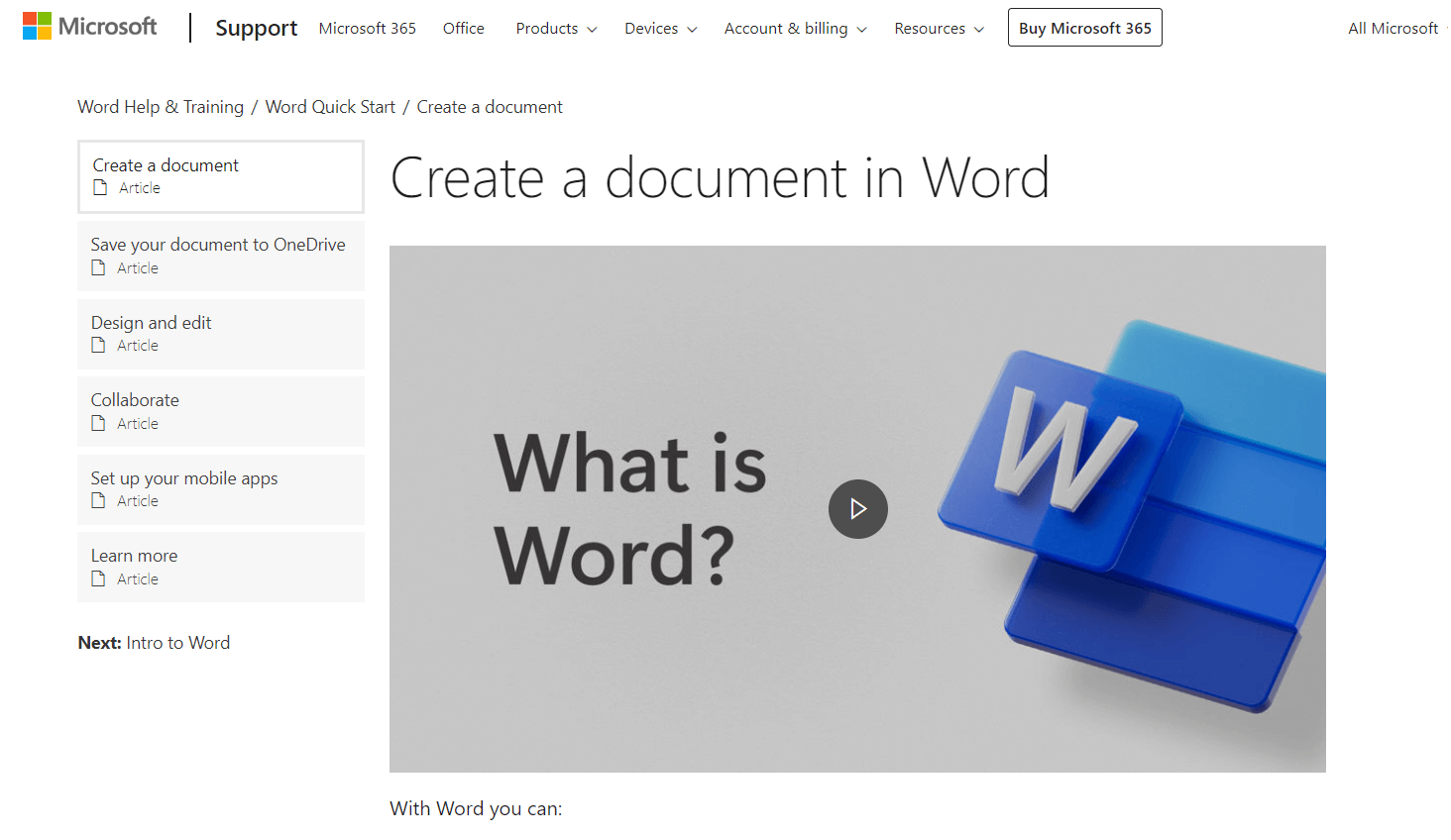
A robust ‘Getting Started’ section is a vital technical manual component. It should provide a clear and concise introduction to the product or process, offering an overview of key features, functionalities, and benefits.
It should address basic setup and installation procedures, system requirements, and initial configuration steps. This section should guide users through the initial steps required to use the product or follow the process outlined in the manual.
3. Add Multimedia Elements, Especially Videos
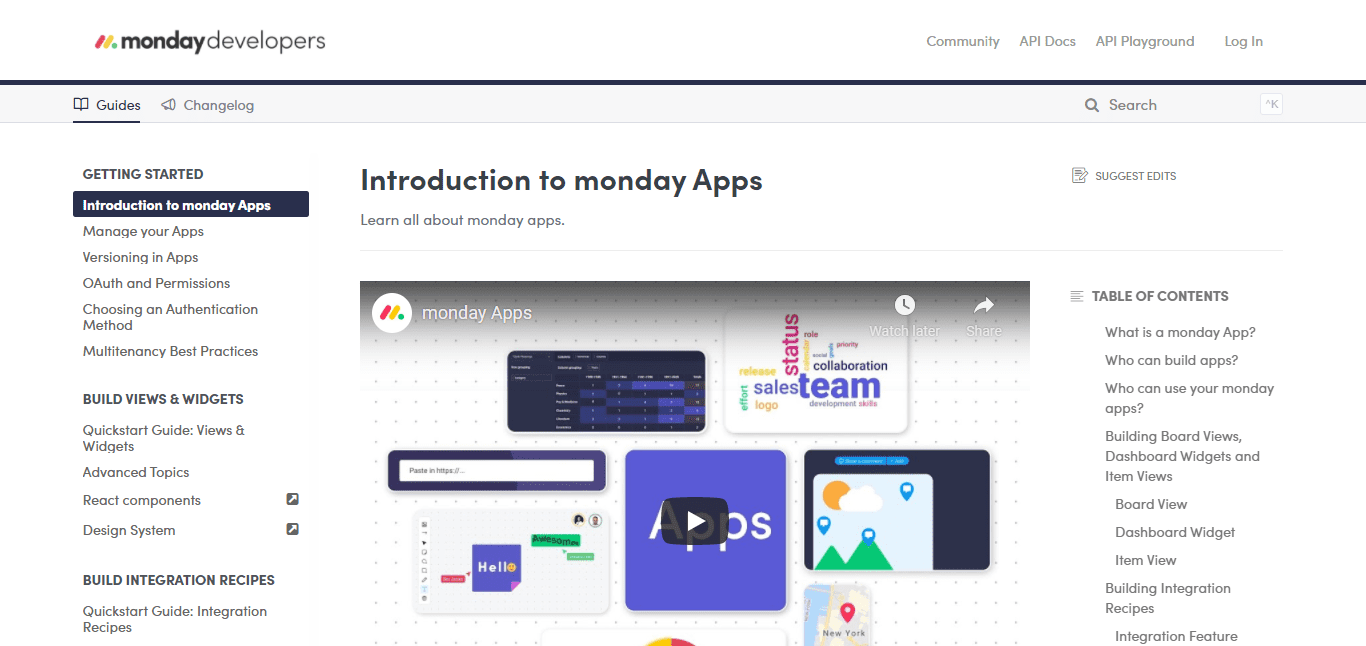
Multimedia elements like images, diagrams, screenshots, videos, or animations can enhance the usability of the instructions provided in the manual.
These elements help readers envision the process they are going through. Relevant images and diagrams assist readers in grasping text-based instructions better.
Media should be placed appropriately, accompanied by captions, and integrated seamlessly with the text. Consider creating video tutorials or animations to demonstrate complex procedures or concepts, which can help the readers understand what is being taught better.
4. Improve Searchability With a Keyword Index
The keyword index is another critical component of a technical manual that helps readers quickly find specific information. The goal is to create a list of keywords or phrases that link to a page to help readers search and find the information they seek.
The keyword index should be alphabetically organized and include thorough keywords, terms, and concepts.
It should provide accurate page numbers or section references for each keyword to direct readers to the appropriate content. The keyword index should be reviewed and updated regularly to ensure accuracy and relevance.
5. Include Troubleshooting Tips
Anticipate and address common problems or errors that users might encounter.
Dedicate a section to troubleshooting, where you identify frequently occurring issues, explain any error codes, describe potential causes, and offer step-by-step solutions for each problem.
Use clear headings to label different troubleshooting scenarios and ensure the instructions are straightforward.
6. Incorporate User Feedback
User feedback is essential for continuously improving the manual. Seek feedback from users, subject matter experts, or customer support teams.
Collect and analyze the feedback to identify areas of the manual that may require improvement.
This can include clarifying instructions, addressing common user misconceptions, or having additional troubleshooting steps based on real-world experiences.
7. Review and Revise
Once the initial draft is complete, thoroughly review the manual for grammar, spelling, and formatting errors.
Look for consistency in terminology and ensure that all relevant information is included. Consider passing the manual to others for review to gain additional perspectives on clarity and effectiveness.
Make revisions and refinements to ensure the final version is accurate, user-friendly, and helpful.
Types of Technical Manuals
Different technical manuals serve different purposes, primarily helping users understand how to use and maintain a product effectively, improve product quality, and provide customer support. Let’s have a look at its common types.
Product Manuals
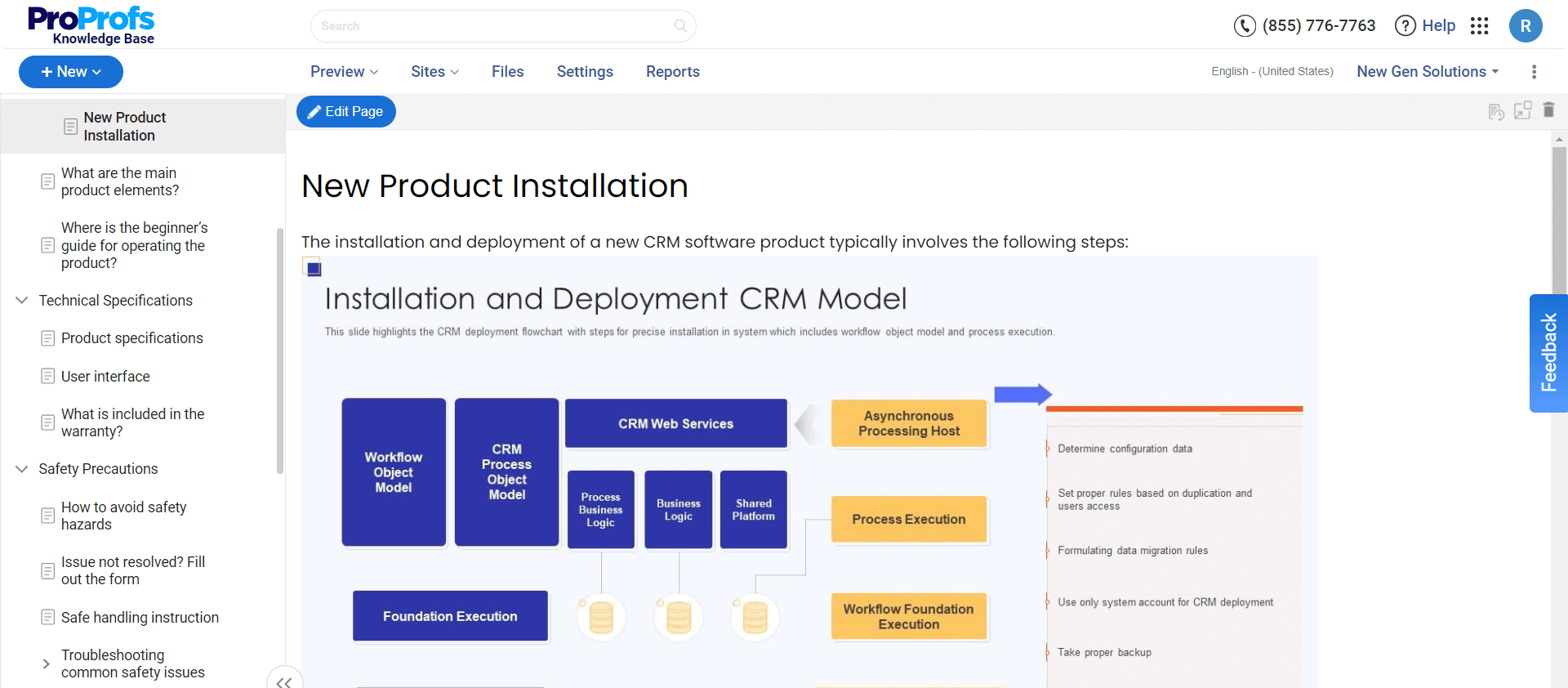
Product manuals are extensive guides that provide detailed information about a particular product, including its features, installation instructions, and proper use.
They usually start with an introduction to the product, explaining its purpose and key features. Step-by-step instructions are provided for installation, setup, and configuration, often accompanied by diagrams or illustrations to aid comprehension.
Product manuals may also include safety precautions, maintenance guidelines, troubleshooting tips, and frequently asked questions (FAQs). These manuals are designed to be user-friendly, with clear language and organized sections to help customers get the most out of their product.
For example, a smartphone user manual would start with introducing the device’s essential features, explaining how to power it on, navigate the user interface, and connect to a network.
Repair Manuals
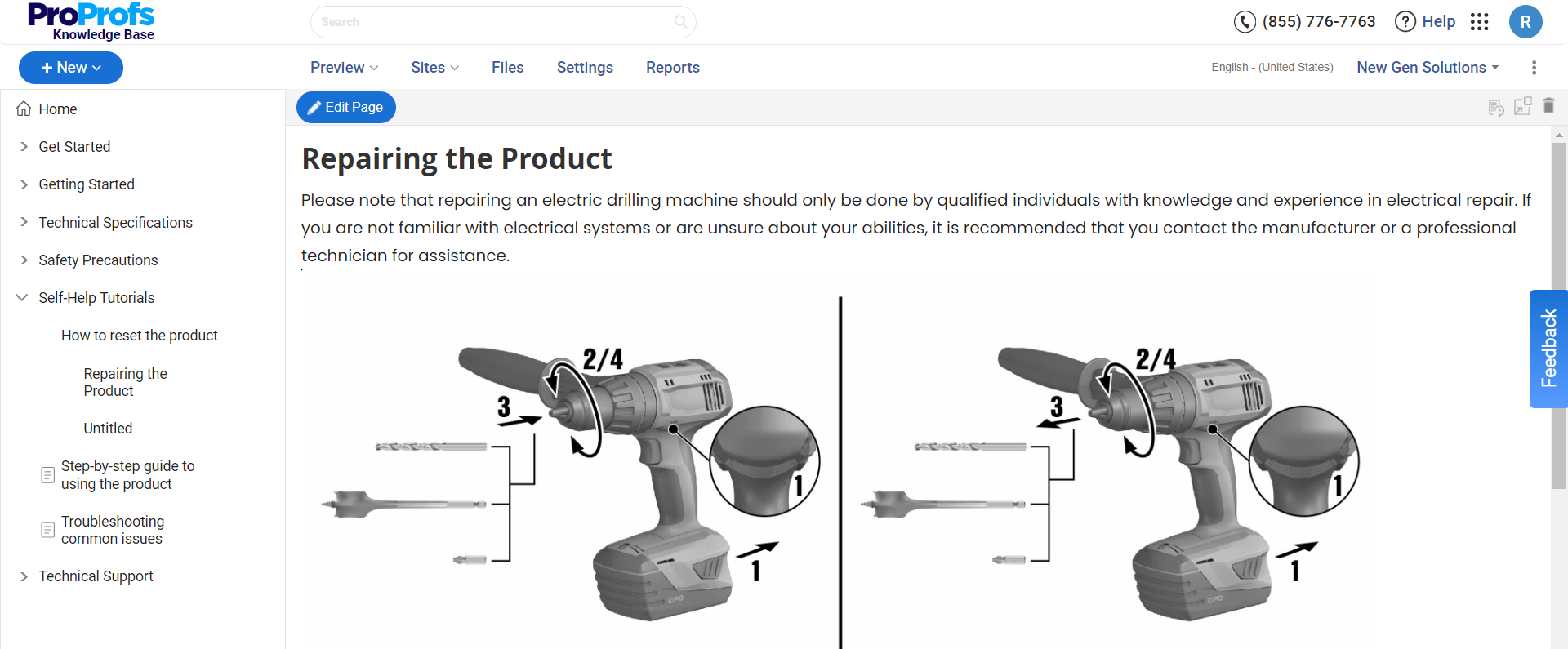
Repair manuals provide detailed instructions for repairing a specific product or system. They typically cover topics like disassembly, troubleshooting, parts identification, and reassembly.
These manuals often include step-by-step procedures, annotated diagrams or photographs, and required tools and equipment. Repair manuals may also provide tips on preventive maintenance, common issues to watch out for, and recommended service intervals.
For example, an auto repair manual would include detailed instructions for diagnosing and repairing specific components of a vehicle, such as the engine, transmission, or electrical system.
Troubleshoot Guides
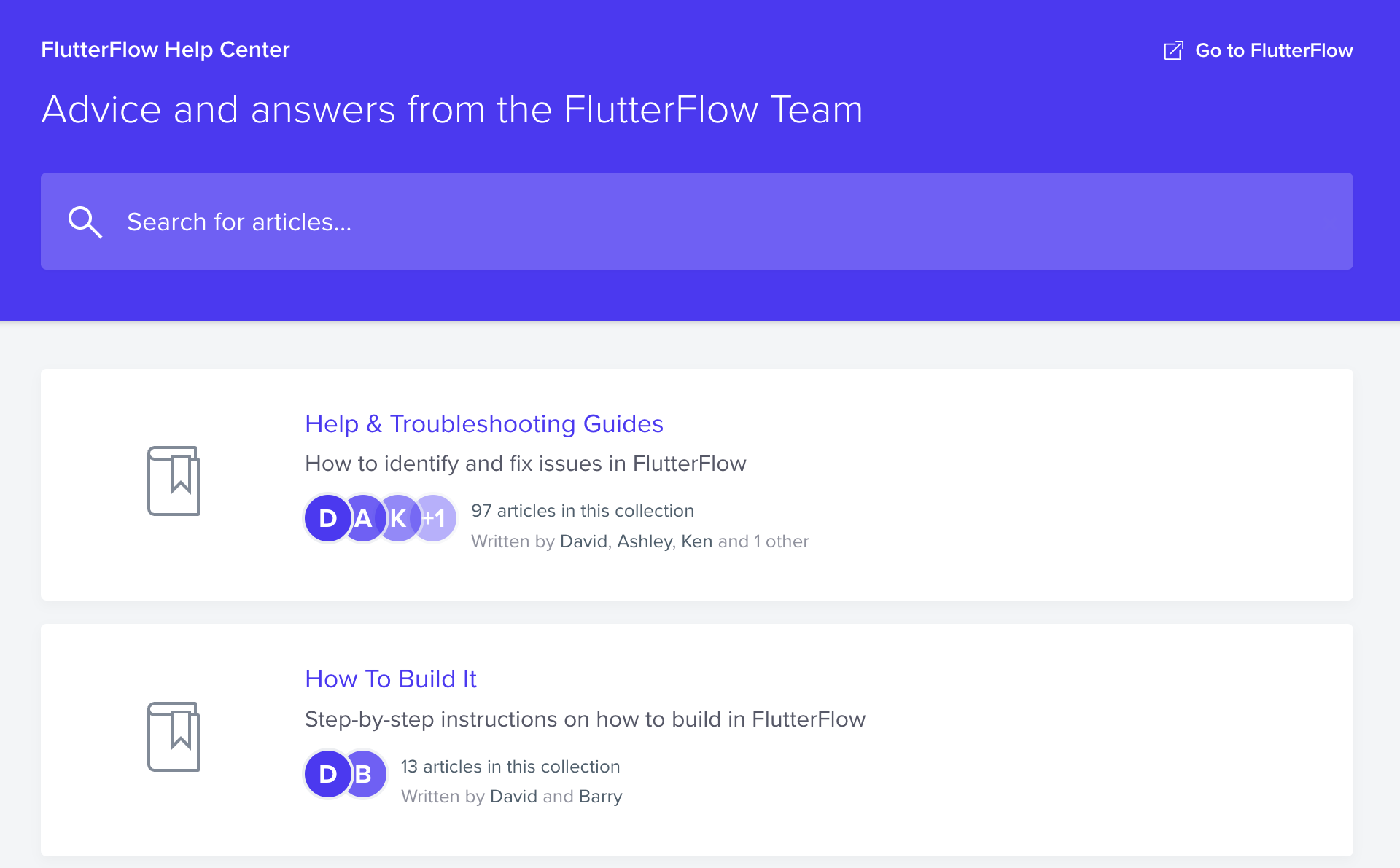
Troubleshoot guides are short documents aimed at helping users identify and resolve problems experienced with a particular product or system.
They usually list common issues or error messages, potential causes, and recommended solutions. Troubleshoot guides may include flowcharts or decision trees to help users navigate through the problem-solving process systematically.
For example, a network troubleshooting guide would list network connectivity issues like slow internet speed or intermittent connection drops.
User Manuals
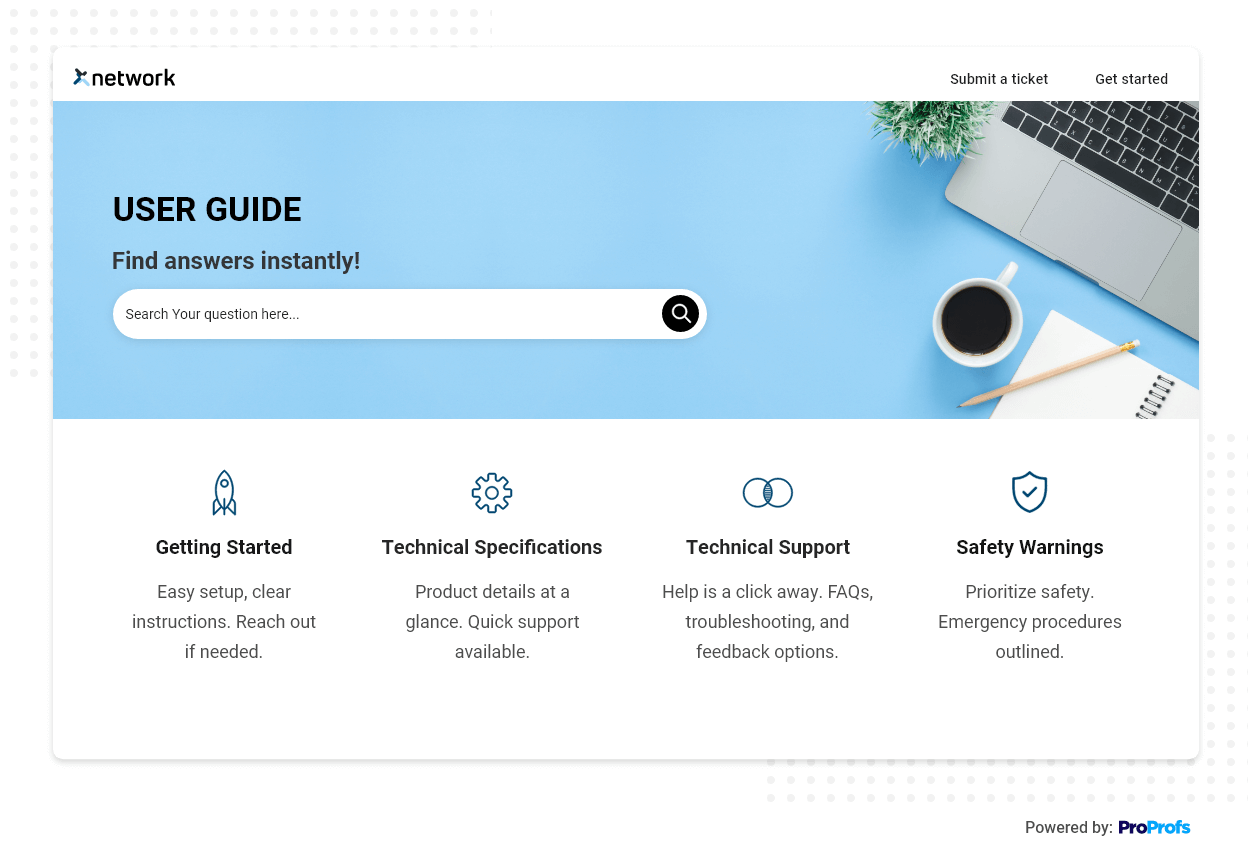
User manuals provide instructions on how to operate a product or system effectively.
They usually cover topics like product setup, basic and advanced features, customization options, and maintenance guidelines. User manuals often include step-by-step instructions, labeled diagrams, and screenshots to aid understanding.
For example, a camera user manual would start with instructions on inserting the battery and memory card, attaching lenses, and powering the device.
If want to learn more about choosing the best user manual software, hceck out this video.
API Documentation
API (Application Programming Interface) documentation provides developers with comprehensive information about effectively using an API in software development.
It usually includes an overview of the API’s purpose, functionality, and supported programming languages. Detailed documentation is provided for each API endpoint, including input parameters, expected output, error handling, and recommended best practices.
For example, Google Maps API documentation would start with introducing the API and its key features, explaining how it enables developers to incorporate maps and location-based services into their applications.
Software Development Kit (SDK) Documentation
SDK documentation guides developers using a software development kit to create applications for a specific platform or system.
It usually includes an overview of the SDK’s purpose, supported programming languages, and system requirements. SDK documentation often includes guides, tutorials, code samples, API references, and troubleshooting advice.
For example, Android SDK documentation would start with an introduction to the SDK, explaining how it enables developers to create Android applications using Java or Kotlin.
Release Notes
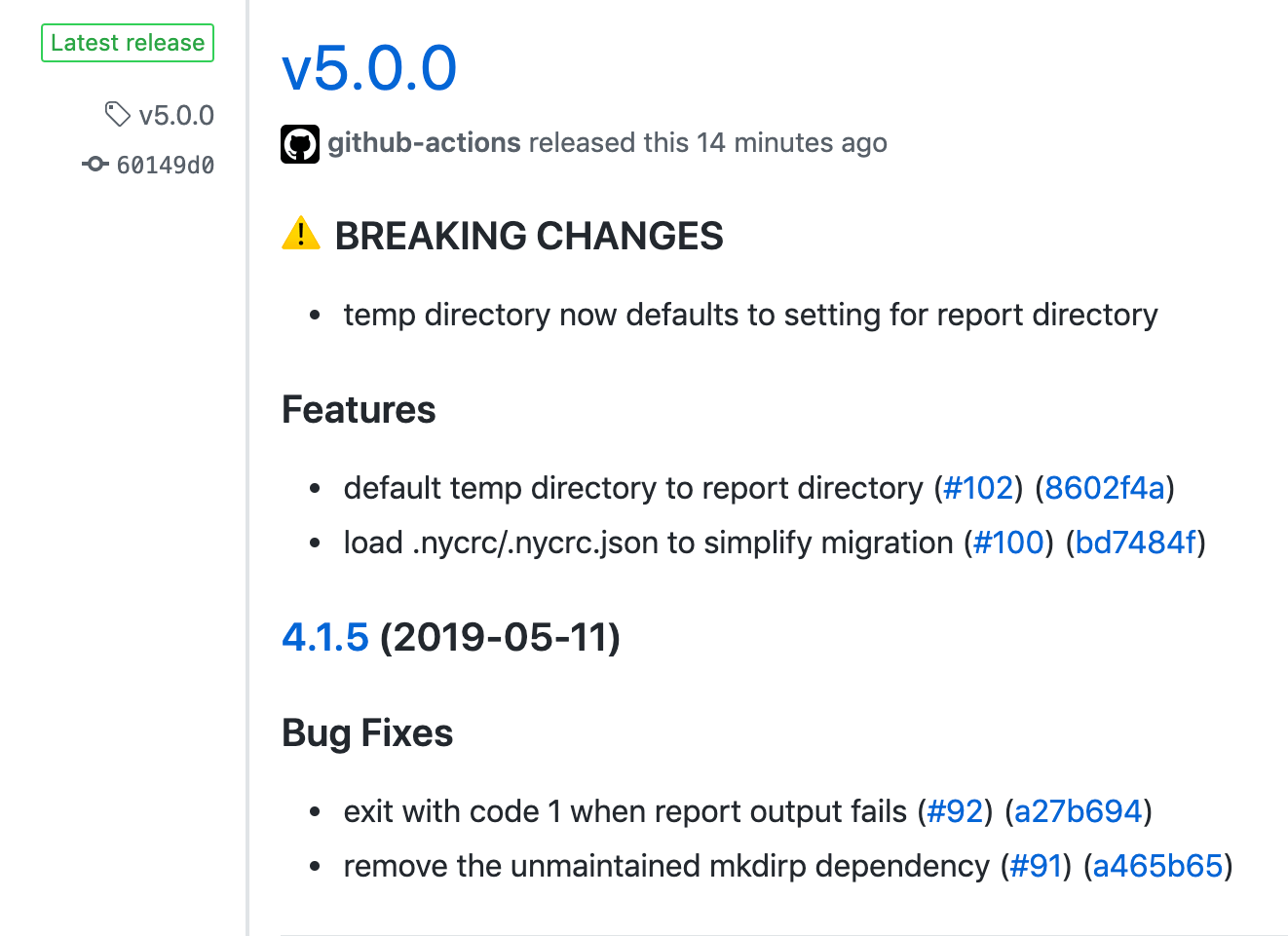
Release notes provide information about new features, changes, and bug fixes in a software release. They usually accompany software updates or patches and help users understand how to use new functionality or address known issues.
Release notes may also include a summary of changes, step-by-step instructions for utilizing new features, and a list of fixed bugs or known issues.
For example, Microsoft Office 365 release notes would provide an overview of new features introduced in a specific update, such as a new collaboration tool or enhanced security measures.
Customer Support Manuals
Customer support manuals provide information that customers need to troubleshoot and resolve problems related to a product or service. They cover common issues, frequently asked questions (FAQs), and troubleshooting tips.
Customer support manuals may also include contact information for further assistance, such as phone numbers or email addresses.
For example, a help desk support manual would include a list of common customer inquiries or issues, such as password resets, software installation problems, or billing inquiries.
Marketing Support Manuals
Marketing support manuals provide information about a product or service, including its value proposition, features, and benefits. These manuals are normally used by sales and marketing teams to communicate key selling points to potential customers.
They may also include product brochures, presentations, case studies, or comparison charts to showcase the product’s advantages.
For example, a product brochure would provide an overview of a new smartphone’s features, emphasizing its camera capabilities, battery life, and user-friendly interface.
IT Support Manuals
IT support manuals provide knowledge and information that IT support technicians need to resolve problems related to software, hardware, and networking.
These manuals typically cover various topics, such as troubleshooting common issues, configuring network settings, and maintaining hardware and software infrastructure. They may include step-by-step procedures, flowcharts, or troubleshooting matrices to guide IT technicians through problem-solving processes.
For example, a server administration guide would provide detailed instructions for setting up and maintaining server hardware and software.
Why Do Businesses Invest in Technical Manuals?
Investing in technical manuals benefits businesses by improving customer satisfaction, reducing support costs, and more. Let’s discuss the benefits of technical manuals in detail.
Increased Customer Satisfaction
Technical manuals provide customers with clear and comprehensive instructions on installing, setting up, and using a product or system.
Businesses can enhance customer satisfaction by ensuring customers have access to accurate and easily understandable documentation.
Customers who can use a product effectively are more likely to have a positive experience and develop a higher trust in the brand.
Reduced Support Costs
Comprehensive technical manuals can reduce the number of customer support inquiries and troubleshooting requests.
When customers can find the information they need in the manual, they are less likely to contact customer support for assistance.
This reduces the workload on the support team, allowing them to focus on more complex issues and providing timely support to those who genuinely need it.
Efficient Training
Technical manuals are valuable resources for training, especially for internal staff or partners who need to be familiar with the product or system.
These manuals provide a structured and consistent source of information that can be used for initial training and ongoing reference.
By providing detailed instructions, illustrations, and troubleshooting tips, businesses can ensure that their employees or partners have the necessary knowledge to support and use the product effectively.
Enhanced Compliance and Safety
Technical manuals often include essential information regarding compliance requirements, safety precautions, and proper use of the product or system.
This can be particularly crucial in industries where regulatory compliance is essential, such as healthcare or manufacturing.
By providing clear guidance on compliance and safety considerations, businesses can mitigate risks and protect their customers and employees.
Elevated Brand Reputation
Well-crafted technical manuals positively reflect a brand’s image and reputation.
Businesses that invest in high-quality, user-friendly manuals demonstrate their commitment to customer satisfaction and value.
Clear and comprehensive documentation helps customers and strengthens the brand’s perception as reliable, trustworthy, and focused on delivering a positive user experience.
Legal Protection
Technical manuals can serve as evidence of responsible product development and safety measures taken by the manufacturer.
In a legal dispute or product liability claim, having accurate and detailed documentation can be crucial in defending the company’s position.
Businesses that invest in creating thorough technical manuals demonstrate their commitment to ensuring safe and reliable product usage, which can provide legal protection in case of any issues or claims.
Best Practices for Writing Training Manuals
To create technical manuals that are user-friendly and easy to comprehend, you need to understand your target audience and then curate the outline of the manual. Let’s look at some best practices to follow.
Define Your Objectives
Begin by defining the objectives of your training manual. Determine what specific skills or knowledge the readers should be able to acquire by the end of the training. This will help you focus on essential content and structure the manual accordingly.
Identify the target audience, their background knowledge, and their learning needs to tailor the language, tone, and style of the manual to their understanding and familiarity with the subject matter.
Keep It Simple and Structured
Use clear and concise language in your training manual. Avoid technical jargon or complex terminology that may confuse or overwhelm the readers.
Divide complex concepts into simple, easy-to-understand language. Keep sentences and paragraphs short and use bullet points or numbered lists to present information in a structured and organized manner.
Use a consistent format for each section, with clear headings and subheadings to help users navigate and locate information quickly.
Use Visuals to Enhance Learning
Visual elements like images, diagrams, and examples can significantly enhance the learning experience.
Include relevant visuals that support the content and help clarify complex concepts.
For example, use screenshots or photographs to demonstrate specific processes or steps in a clear and easily understandable way. Visuals make the training manual more engaging and help visual learners retain and comprehend it.
Be Consistent
Maintaining consistency throughout the training manual is crucial for user comprehension and ease of use. Use a consistent format, font, and style throughout the manual.
Maintain a clear hierarchy of headings, subheadings, and bullet points to maintain a logical flow of information. Use formatting techniques such as bold or italics to highlight important points or critical terms consistently.
Consistency in formatting and style will help users navigate the manual effectively and find information quickly.
Test the Manual
Before finalizing the manual, test it on a sample of users to gather feedback and insights from the test users to identify areas needing improvement.
Observe how users interact with the manual and monitor their understanding and comprehension. This testing phase allows you to identify parts of the manual that may need revision or restructuring for better clarity and understanding.
Consider conducting usability testing and incorporating user feedback to make the necessary improvements before finalizing the training manual.
Keep it Up-to-Date
Technology and processes can change rapidly, so update your training manual with the latest information and best practices.
Review the manual regularly to ensure its relevance and accuracy. Update any outdated content, processes, or screenshots. Include references or hyperlinks to external sources for users to access the most up-to-date information.
Establish a process for periodically reviewing and updating the manual to ensure its continued effectiveness and usability.
Provide Support
Remember to include contact information for technical support or a dedicated help desk in the manual. Encourage users to reach out with any questions or feedback they may have.
This support system will provide users with additional assistance beyond what is covered in the manual itself. It also shows a commitment to user success and helps build trust and confidence in your training materials.
Regularly assess and respond to user inquiries or feedback to improve the manual and address any confusion or difficulty.
Examples of Technical Manuals
Now that we have discussed the types and best practices, let’s look at some of the best examples of technical manuals.
Manage Engine
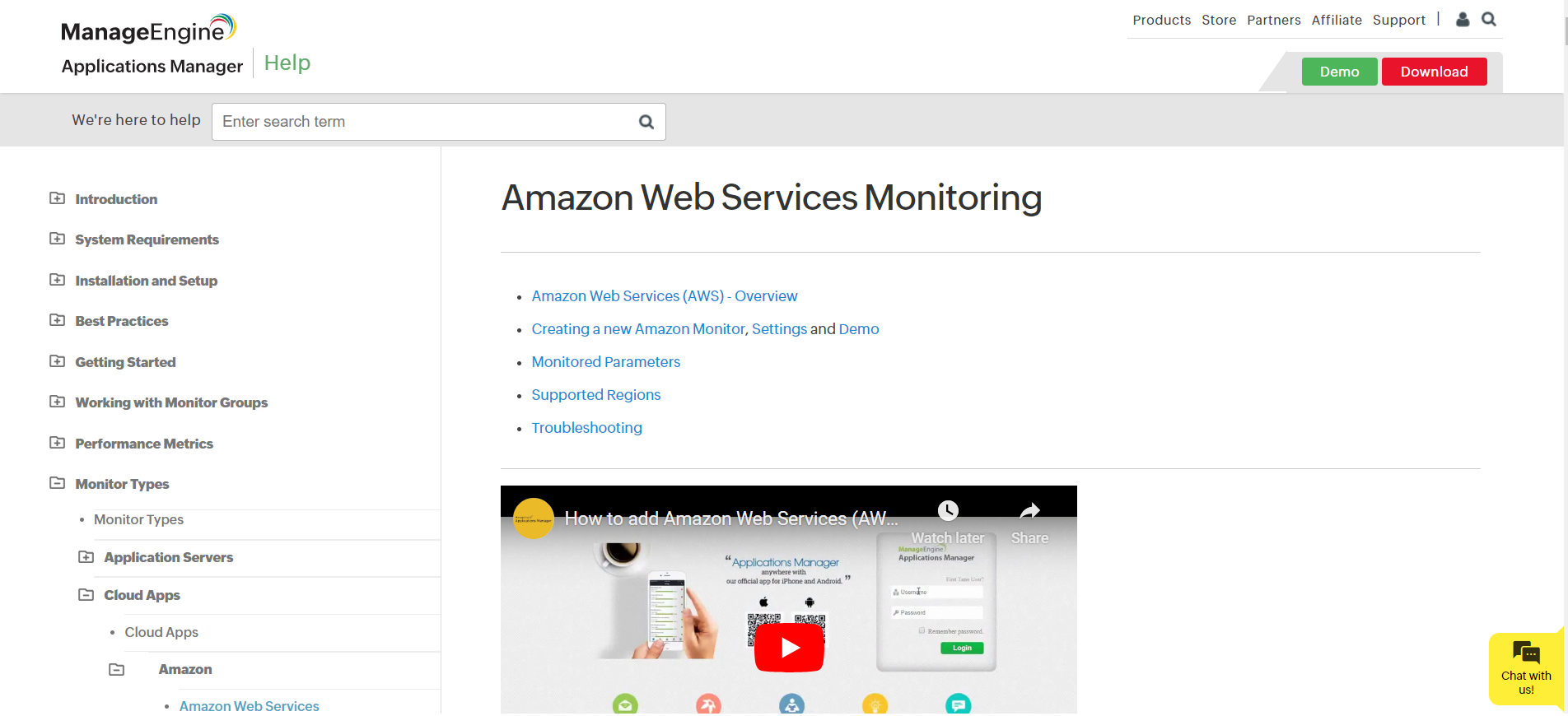
ManageEngine provides a comprehensive and organized user guide for Amazon Web Services (AWS) monitoring tools.
The guide is structured clearly and concisely, with various sections dedicated to different areas of the product, including identity and access management, enterprise service management, and more.
Their short, embedded YouTube video explains the topic perfectly, adding interactivity and authenticity to the post.
IDS
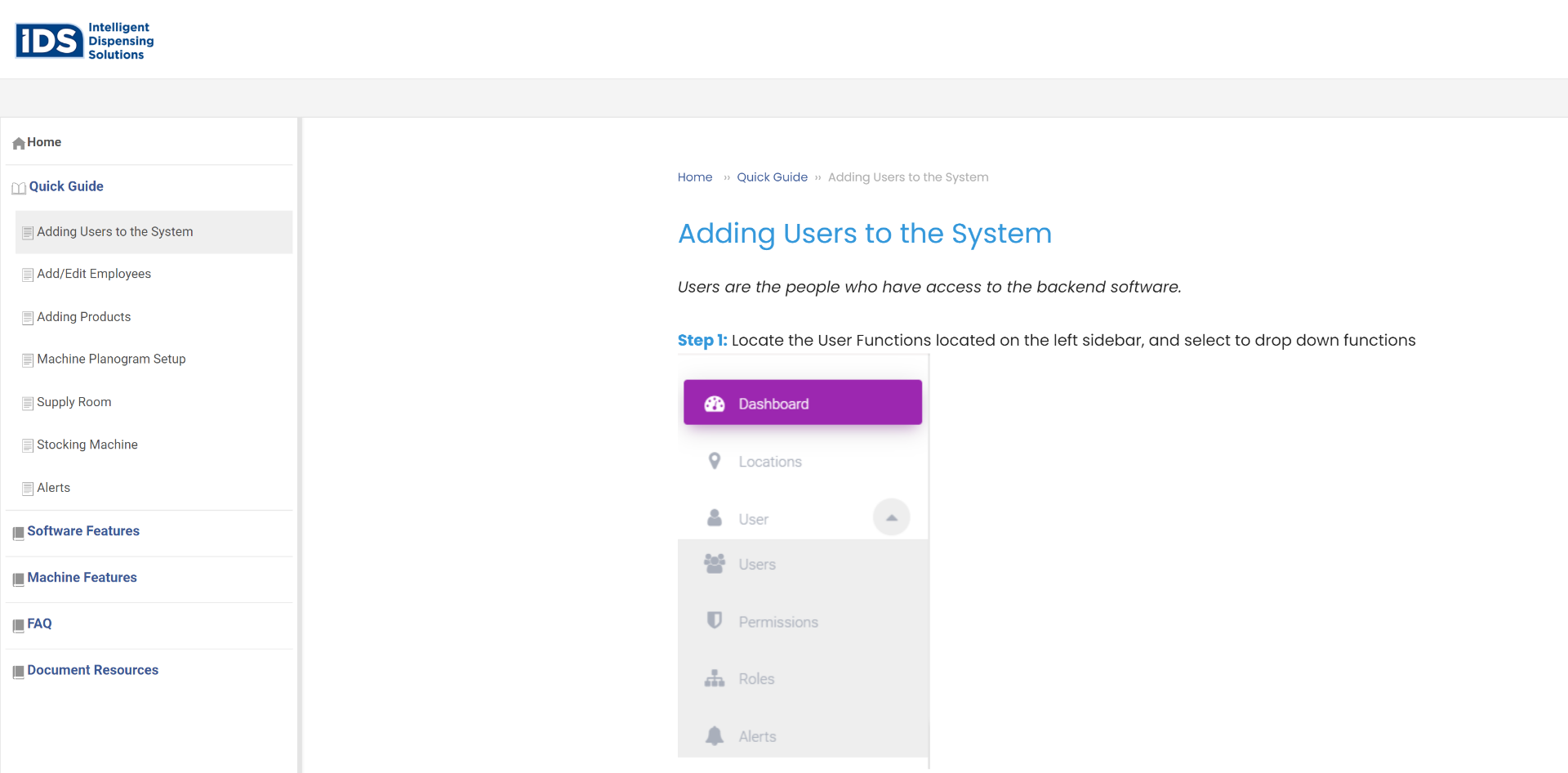
IDS has organized its technical manual into different sections and menus to help users navigate and find the specific information they want.
The ‘Create a Supply Room’ page provides a step-by-step guide on creating a supply room. The approach is focused on giving clear instructions with numbered steps and brief explanations.
Apple
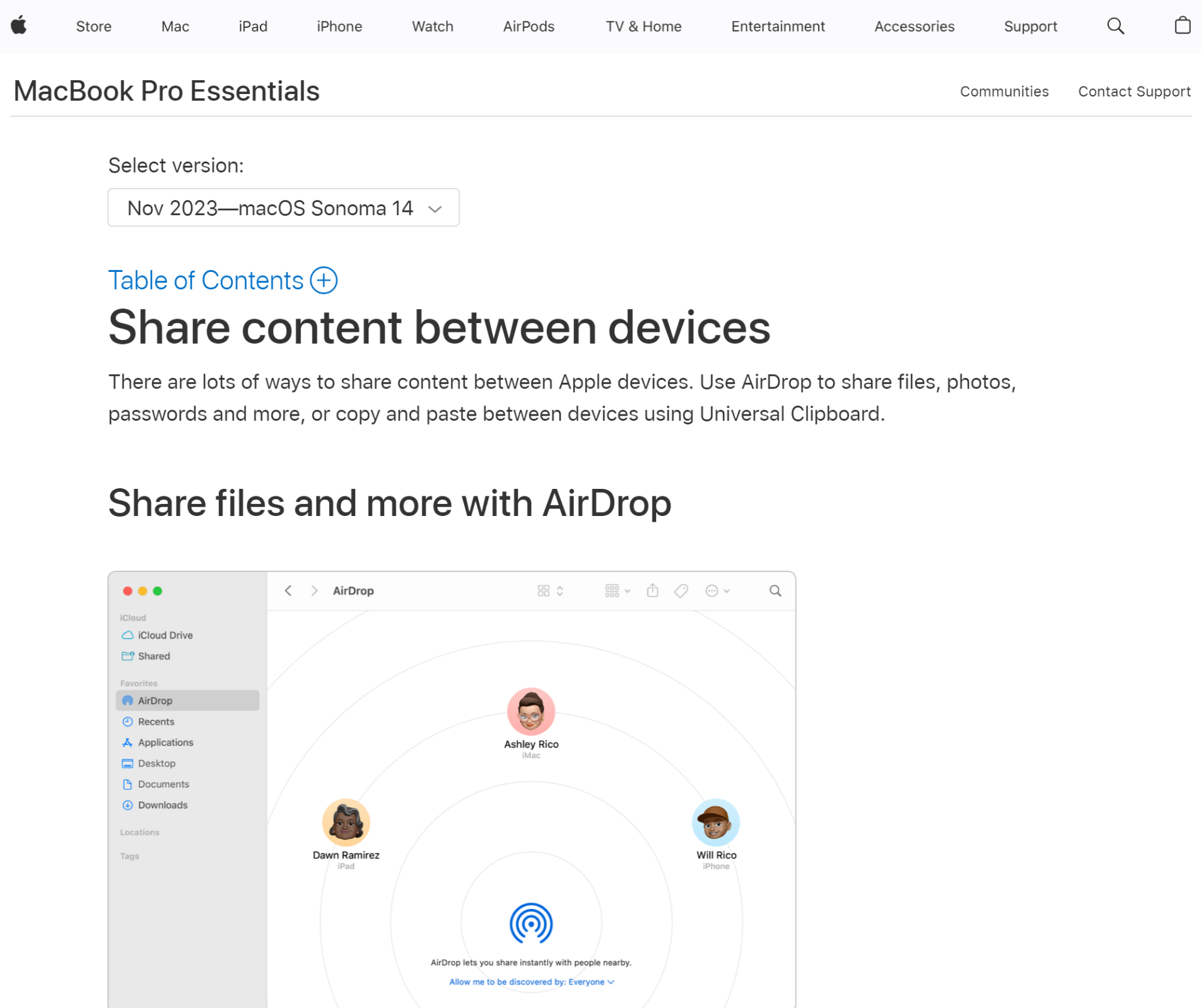
The above manual showcases Apple’s technical manual writing approach.
It emphasizes maintaining a consistent voice across all materials, focusing on the reader using inclusive language, and providing clear, high-quality, and readable content. Apple users can easily scan through this article and learn how to share content between devices.
Use ProProfs Knowledge Base to Create Technical Manuals
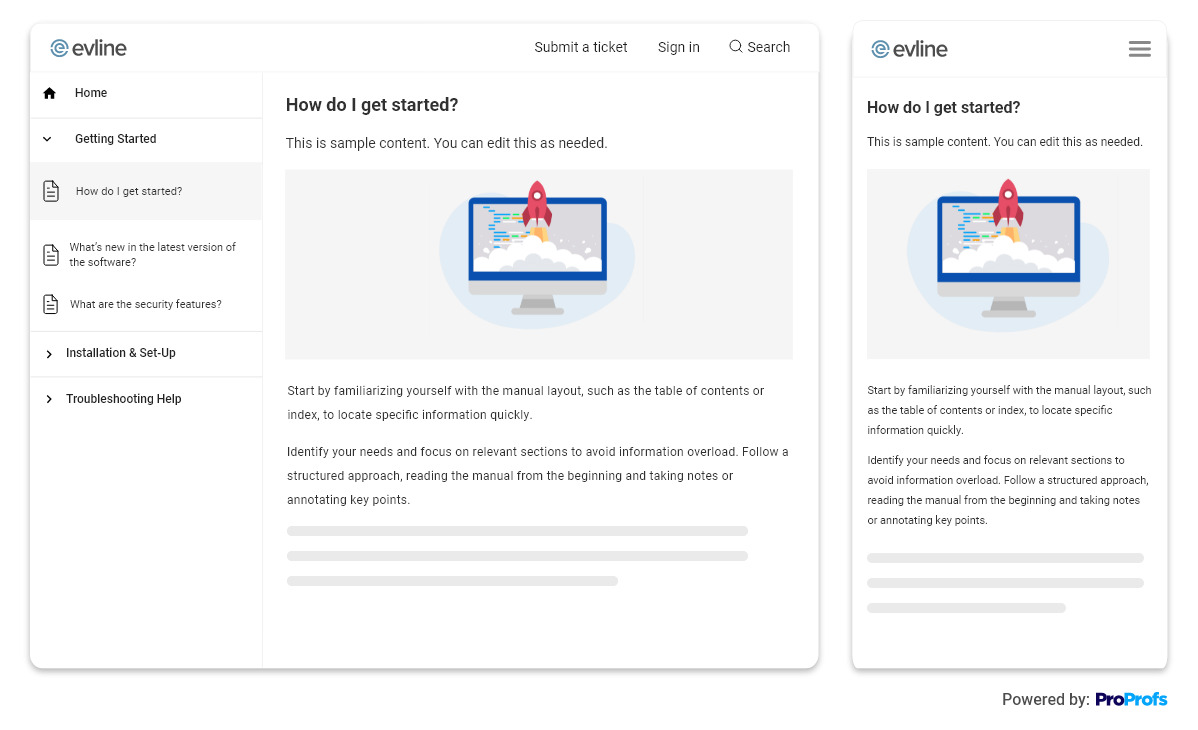
Using dedicated knowledge base software to create technical manuals greatly benefits content organization, accessibility, and collaboration. ProProfs Knowledge Base comes equipped with 100+ pre-designed customizable templates, specifically tailored for resources like technical manuals.
The tool features an AI text editor with built-in prompts and suggestions to supercharge your document creation process.
You can utilize its version control feature to manage multiple versions of help sites based on product or documentation releases. The revision history tracks up to 30 recent changes to your knowledge base to restore previous sessions if needed.
You can easily customize your help site or knowledge base with your brand logo, colors, and themes to reflect your brand identity. Also, you can create multiple versions of the same help site and brand them differently if you have different products under an umbrella brand.
So, what are you waiting for? Get started with creating your comprehensive technical manuals right away! Explore more here!
Do you want a free Knowledge Base?
We have the #1 Online Knowledge Base Software for instant self-help