Support Engineer, Klippel GmbH
Wiki Software
No credit card required.
- Create public & corporate wikis
- Collaborate to build & share knowledge
- Update & manage pages in a click
- Customize your wiki, your way
No credit card required.
Wiki Software is a collaborative tool that allows teams and organizations to create, organize, and share knowledge in a centralized, searchable space. It enables users to build structured internal or external knowledge bases, like company policies, onboarding guides, SOPs, project details, product FAQs, etc.
It streamlines information access and knowledge sharing across departments and locations. With features like real-time editing, version history, permission control, and powerful search, it helps teams stay aligned and reduces repetitive questions or siloed knowledge.
An internal wiki is a private, centralized knowledge hub designed for internal teams to document and share company-specific information. It includes SOPs, project documentation, team processes, checklists, and more. Access is restricted to authorized users, allowing departments to collaborate without external exposure.
A company wiki serves as an organization-wide knowledge base for all employees. It’s broader than an internal wiki and often includes onboarding guides, employee handbooks, internal policies, company values, and more, making it useful across all departments and roles.
An enterprise wiki is a scalable knowledge management solution built for large businesses or organizations with multiple departments, teams, or global branches. It offers advanced features like multi-site management, deep permission controls, analytics, and integrations.
A customer-facing wiki is a public knowledge base used to provide self-service support for your product or services. It typically includes help articles, FAQs, tutorials, and troubleshooting guides to empower users to find answers without contacting support.
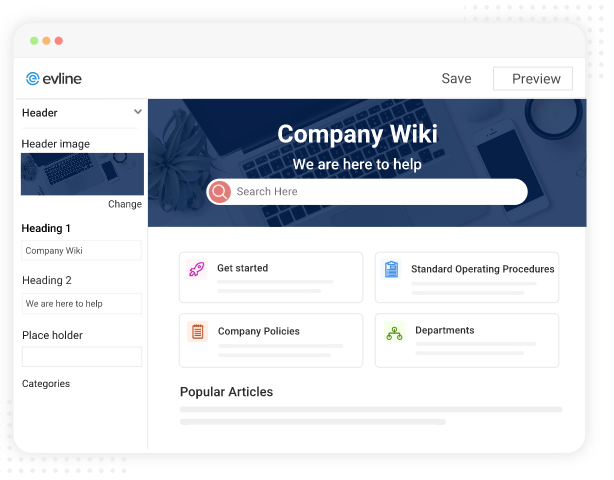
Online wiki software offers modern editing and design capabilities that make your wiki look and feel good. Get access to a range of formatting and styling options and tailor your wiki your way. You can add header and footer to wiki pages, use your favorite fonts, themes, and colors to build a wiki that matches your brand.
Enterprise wiki software offers a unified search to help employees discover answers to their questions quickly. Using the right set of keywords and tags, you can make wiki’s content easy to search. Interlink related articles and direct employees to relevant help content. Seamless navigation makes information-gathering a matter of a few clicks.
Write and edit content quickly with our AI-powered text editor, which works like MS Word and has WYSIWYG capabilities.
Access a wide range of fonts, themes, and colors to tailor and customize your wiki to your requirements.
Import Word docs, PPTs, and PDF files to speed up content creation. Export your entire wiki or specific pages and create a backup.
Assign roles like editor, contributor, administrator, and viewer to different users. Take full charge of who can do what in your wiki.
Provide a Google-like search system to your teams. Relevant articles quickly show up as soon as someone starts typing.
Integrate wiki software with popular tools like Zendesk, Freshdesk, Google Analytics, Slack, and many more.
Speed up your help content creation with generative AI using custom or built-in prompts.
Give users a seamless browsing experience with intuitive mini TOCs, breadcrumbs, and helpful “See Also” links.
Build a global knowledge-sharing hub by offering your wiki content in multiple languages.
No credit card required.