

Launched in 2019, Archbee is a relatively new knowledge management software with a wide range of features essential for learning, onboarding, and collaborating.
The tool has managed to gain a large user base within a short span of time. Its beautifully designed interface and ease of use have made it the go-to choice for startups.
However, due to some significant shortcomings, businesses today are looking for Archbee alternatives. The absence of a mobile application is one such shortcoming that makes remotely accessing the tool cumbersome for users. Also, the lack of built-in reporting makes it difficult for users to find and address knowledge gaps.
To help you pick the right Archbee alternative, we have compiled a list of the top 10 tools available with their features, pricing, and much more.
What Is Archbee Knowledge Base?
Archbee is a modern knowledge management tool that offers an all-around platform for knowledge sharing and document collaboration within your organization. Its in-built templates and user-friendly text editor allow you to build a central repository of important documents like product manuals, FAQs, guides, and much more.
Archbee’s custom algorithm for search ensures that accurate information is displayed in seconds. Another unique feature of this tool is the Knowledge Graph which helps you link all information together, making it easily accessible for teams. Whether you want to reduce support tickets, boost onboarding, or improve collaboration, this tool offers all the help you need.
Choose it for: Knowledge sharing & document collaboration
3rd party integrations allowed: Yes
Suited for: Small & medium-sized businesses
Why Look for Archbee Alternatives?
Archbee has become a popular knowledge base software thanks to its functional and well-designed interface. But a fair share of problems makes users look for alternatives, such as:
Lack of a mobile app:
The absence of a mobile application makes information access a tedious process and hampers learning.
Absence of built-in reports:
Insights gained from detailed reports help determine content performance and knowledge gaps. The absence of reports gives businesses a hard time analyzing the effectiveness of their knowledge base content.
Limited templates:
Archbee offers a few in-built templates for documenting sales, engineering, and marketing processes. The lack of variety in templates is a big turn-off for users as they have to create most of their documents from scratch.
The Features Archbee Alternatives Must Have
To shortlist the right alternatives to Archbee, you need to look for essential features like:
Rich text editor:
Every alternative to Archbee should offer a modern text editor with powerful formatting capabilities to document knowledge in a clean and well-organized manner.
High searchability:
Lightning-fast search is an important feature that provides quick access to information, thus saving time and improving the work efficiency of teams.
In-Built Templates:
Templates accelerate content creation by giving you a pre-designed framework, thus saving the time spent in structuring and formatting.
Customizations:
If you want to give your knowledge base an appealing look and feel, customization is an essential feature to look for. An ideal Archbee alternative should offer extensive customizations, CSS functionality, and white labeling.
Role management & permissions:
This collaborative feature allows you to control the permissions and roles assigned to users within the knowledge base.
Mobile-friendly:
With a mobile-friendly platform, your users can access and share knowledge from any place and time.
External integrations:
Integrations are essential to add additional functionalities to a tool. You need to look for an alternative that allows seamless integrations with popular apps for surveys, ticketing, chats, etc.
Reports & analytics:
A built-in reporting system is essential for analyzing performance metrics and identifying knowledge gaps. An ideal Archbee alternative should offer insights into article performance, failed searches, broken links, and more in the form of charts and graphs.
Our Selection Criteria for Archbee Alternatives
To help you pick the best alternative to Archbee’s knowledge base, we followed rigorous criteria so that you get nothing but the best. Here are the three major parameters we looked for while creating this list:
Core knowledge management features:
All Archbee alternatives should offer core knowledge management features like an online editor, rich formatting, built-in reports, brand customizations, and more.
Listed on top review websites:
The tools should be listed on the top review sites like G2, SoftwareWorld, Capterra, etc.
Minimum of 10 user reviews:
Online reviews help judge a tool’s success. The alternative tools should have at least 10 user reviews from verified users on the top review sites.
The Best Archbee Alternatives in 2024
Finally, the section you have been waiting for is here. Now, we will look at the top 10 alternatives to Archbee along with their pros and cons, pricing, and more.
ProProfs Knowledge Base
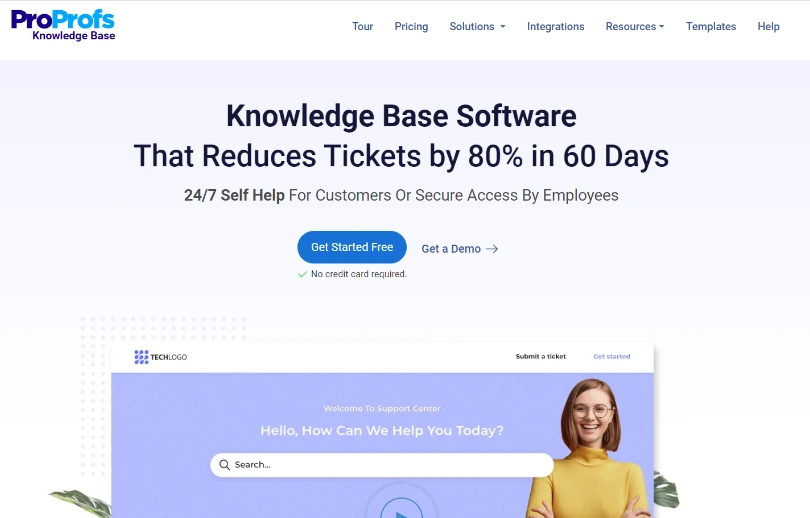
Pricing: Starts from $49/author/month
ProProfs Knowledge Base is a popular knowledge management platform that offers a host of modern features at an affordable price. The tool comes with ready-made templates that allow you to effortlessly create employee handbooks, an internal knowledge base, training documentation, user manual and much more.
Its reporting feature helps you check article performance and find knowledge gaps. You can also integrate the software with external tools like Jira and Slack to increase operational efficiency. The powerful features of ProProfs Knowledge Base help educate employees, streamline work processes and increase productivity. The tool has all that it takes and more to be the best alternative to Archbee.
Key Features:
- Personalize the knowledge base with your favorite themes, fonts, and colors
- Accelerate content creation with ready-made knowledge base templates
- Create well-formatted articles using a rich text editor
- Track and improve article performance with robust reporting
- Integrate effortlessly with tools like Slack, Zendesk, etc.
Choose it for: Team collaboration, knowledge management & employee onboarding
3rd party integrations allowed: Yes
Suitable for: Startups, medium to large scale businesses
Pros and Cons:
| Pros | Cons |
| 1. Well-designed knowledge base templates 2. Outstanding customer support |
1. Doesn’t allow co-editing 2. Lacks a mobile application |
Case Study:
Founded in 1950, Kenco is a popular provider of logistics services. The company specializes in the fulfillment, transportation, and distribution of client orders across the globe. They also provide warehouse and real estate management services to businesses across North America.
Kenco had vast information on vendors, clients, technology, and innovative solution that was scattered across inboxes and business cards. The company needed a solution to consolidate and share this knowledge with all its employees.
With the help of ProProfs Knowledge Base, Kenco created a thriving knowledge base comprising over 200 articles. Their teams can now easily access valuable information that helps them perform better in their roles.
Guru
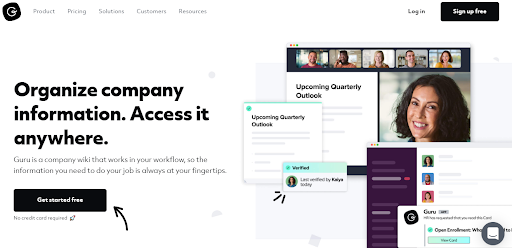
Pricing: Starts at $10/user/month
Guru is another worthy Archbee alternative that helps you create a company wiki for knowledge sharing, internal communication, and employee onboarding. You can use its built-in safety manual templates and online editor to efficiently create well-formatted documents and organize them in Cards, Collections, and Boards.
The tool keeps you updated with the latest changes in the knowledge base through real-time alerts. It also integrates easily with external applications like Slack, Google Workspace, etc., and offers a consolidated work experience.
Key Features:
- Organize information using Cards, Collections, and Boards
- Get notified on knowledge base activities with real-time alerts
- Use the well-designed operational manual templates to speed up content creation
- Track your knowledge base performance with AI-powered reporting
- Integrate seamlessly with popular tools like Slack, ProProfs Survey Maker, etc.
Choose it for: Knowledge sharing, employee onboarding & Slack integration
3rd party integrations allowed: Yes
Suitable for: Educational organizations & remote teams
Pros and Cons:
| Pros | Cons |
| 1. Powerful Slack & MS Teams integrations 2. In-depth reporting & analytics |
1. Doesn’t allow users to export the knowledge base 2. Inefficient search function |
Case Study:
Founded in 2006, Wrike is a versatile project management and collaboration platform. The company has offices in six countries and serves over 2 million users worldwide.
Wrike needed a solution to streamline knowledge sharing within their organization. Their content creators were struggling to keep the knowledge base updated. At the same time, their support and sales teams needed an easy way to access knowledge, especially while communicating with clients and prospects.
Guru helped the company organize content using Cards, Collections, and Boards. Its AI-powered reporting helped them address knowledge gaps and keep teams updated with new information. Also, Wrike’s sales and support teams used Guru’s browser extension to access knowledge and make well-informed decisions.
Bloomfire

Pricing: Starts at $25/user/month
Bloomfire is a knowledge management software like Archbee. It offers an intuitive platform for process documentation, employee onboarding, and knowledge sharing. The tool’s AI-powered search engine allows your employees to access relevant information and quickly make data-driven decisions.
It comes with white labeling and brand customization capabilities that help you personalize or rebrand your knowledge base. You can also enhance work productivity by integrating the tool with external apps like Slack, Teams, etc.
Key Features:
- Find information effortlessly with an AI-powered search engine
- Personalize your knowledge base using extensive brand customizations
- Improve internal interactions through likes, comments, and user mentions
- Enhance productivity by connecting with tools like Slack, Drive, etc.
- View all knowledge base activities using a personalized feed
Choose it for: Knowledge management & extensive customizations
3rd party integrations allowed: Yes
Suitable for: Businesses of all sizes
Pros and Cons:
| Pros | Cons |
| 1. Seamless external integrations 2. Powerful search function |
1. Offers a limited number of plans 2. UI could be better organized |
Case Study:
Headquartered in Chicago, Conagra Brands is a consumer packaged goods company with 18,600 employees at 45 locations worldwide. The company generated total revenue of $12 billion by making and selling food products under various brand names.
They needed a modern knowledge base tool to document content for various brands and help employees make data-driven decisions. They also wanted a platform to make information access easier for employees.
Bloomfire helped Conagra Brands create a knowledge base to diminish the risk of employees accessing outdated information. They used the reporting feature to gauge the performance of their content and make relevant changes. Also, their employees could save a daily average of 30 minutes that they earlier spent looking for files.
Bitrix24
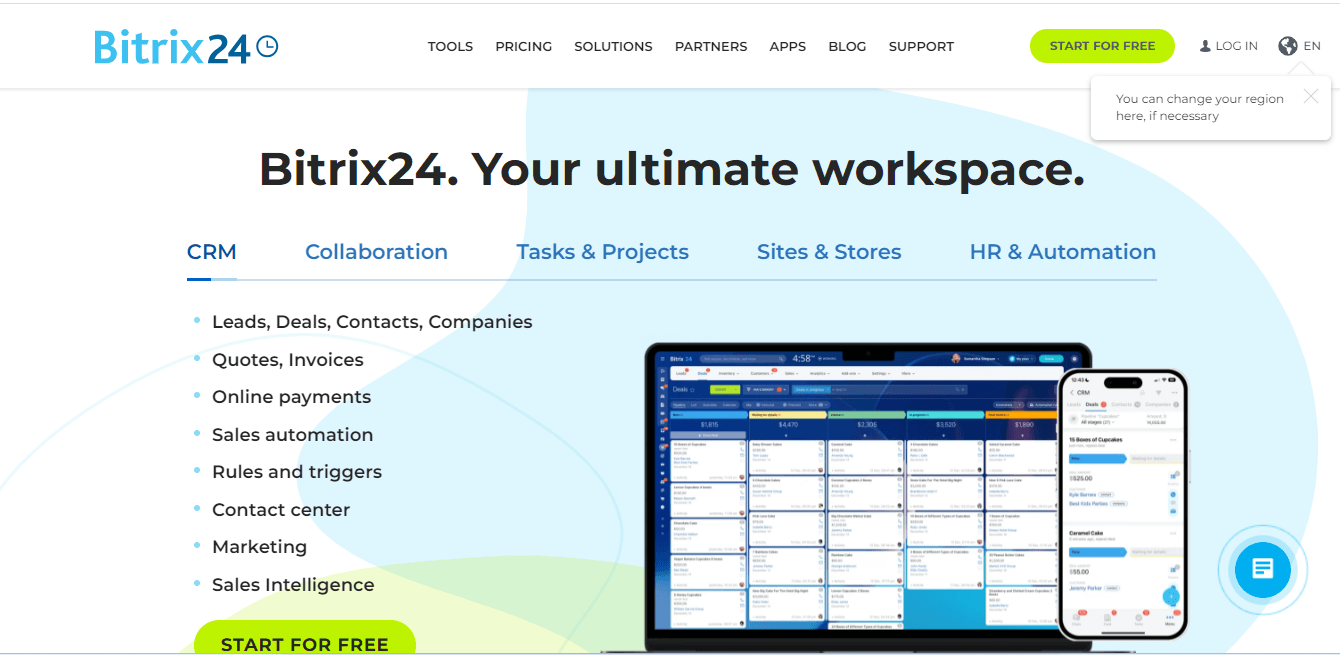
Pricing: Starts at $35.7/5 users/month
Bitrix24 is a unified online workspace designed to take care of your project management, knowledge sharing, and team collaboration needs. This Archbee alternative isn’t a hardcore knowledge management tool but offers all the essential features you need.
For instance, your employees can work collaboratively using the tool’s in-built templates. They can easily search and access documents from anywhere with its mobile-friendly platform. The tool also allows you to boost productivity by integrating with external tools like MS Office, Slack, etc.
Key Features:
- Save time on content structuring with pre-built templates
- Improve efficiency by automating project management processes
- Use the personalized feed to stay updated with all knowledge-base activities
- Manage user activity using roles & permissions
- Consolidate your work on a single platform with powerful integrations
Choose it for: Project management, collaboration & knowledge sharing
3rd party integrations allowed: Yes
Suitable for: Small to medium-sized enterprises
Pros and Cons:
| Pros | Cons |
| 1. Project automation 2. Easy external integrations |
1. Steep learning curve 2. Glitchy mobile interface |
Case Study:
Thailand Pool Tables is the largest supplier of billiards and other entertainment solutions in Southeast Asia. Along with boards and equipment, they also provide services for board maintenance, pool training, etc.
The company needed a platform to help employees collaborate on tasks and share knowledge. They also wanted to improve their efficiency by automating half of their processes.
After heavy research, they chose Bitrix24 to overcome this challenge. The tool helped the company automate projects, collaborate on daily work, and efficiently search and share information. They integrated the tool with their Facebook pages to keep records of customer interactions and improve sales. They also stopped using Dropbox as they found Bitrix Drive to offer more control over user access.
Confluence
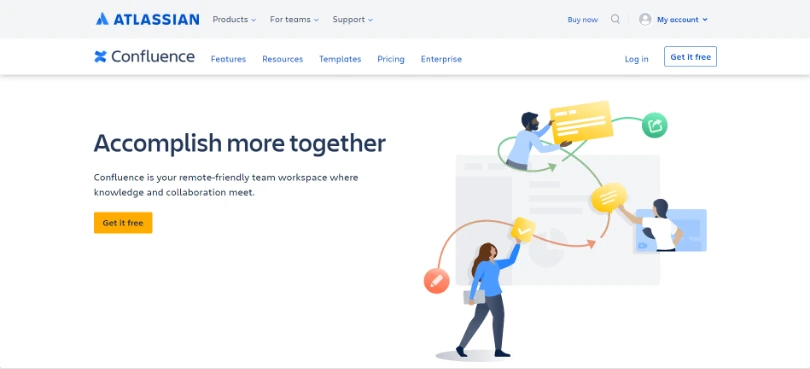
Pricing: Starts at $5.50/user/month
Confluence is a remote-friendly workspace where your teams can access company knowledge and collaborate on tasks. You can use its customizable templates and online editor to create and share various internal documents with your employees. The tool offers an intuitive structure that makes it easy for teams to navigate and find the required information.
With Confluence, you can improve the content of your knowledge base and discover knowledge gaps using reports and analytics. This feature displays article performance insights through intuitive charts and graphs that help you analyze the content.
Key Features:
- Create clean and well-organized content with a powerful online editor
- Analyze reports to improve the performance of your knowledge base
- Use flexible workflows to assign tasks and manage projects
- Integrate with utility tools like Google Workspace, Jira, etc.
- Protect knowledge with enterprise-grade security controls
Choose it for: Tech-savvy remote teams & knowledge management
3rd party integrations allowed: Yes
Suitable for: Medium to large-scale businesses
Pros and Cons:
| Pros | Cons |
| 1. Powerful knowledge-sharing capabilities 2. Top-notch security controls |
1. Steep learning curve 2. Inefficient search engine |
Case Study:
Bonobos is an eCommerce brand that delivers an excellent line of men’s clothing. The company offers a simple and efficient way for customers to order perfectly measured suits, pants, and other clothing items.
As their business grew, they needed a tool to document and centralize essential business information. They also wanted to improve their onboarding process and prevent knowledge loss caused by personnel changes.
With the help of Confluence, the company centralized all internal documents and streamlined the onboarding process. The documented files also diminished the need for exchanging internal emails and spreadsheets to share knowledge.
Whatfix

Pricing: Contact the company for a quote
Whatfix is a digital adoption platform suitable for guiding users and sharing knowledge. The tool accelerates your onboarding processes with real-time nudges and boosts productivity through task automation. It lets users effortlessly navigate through your product through smart tips, suggestions, product tours, and more.
The tool allows you to work more efficiently by integrating with popular applications like Dropbox, Slack, etc. It also offers in-depth reports that help you analyze content and find knowledge gaps.
Key Features:
- Use in-app training to accelerate onboarding
- Find content instantly using a reliable search engine
- Analyze the article’s performance with advanced analytics
- Create and edit workflows with Whatfix editor
- Seamlessly integrate with apps like Teams, Slack, etc.
Choose it for: In-app training, employee onboarding & knowledge sharing
3rd party integrations allowed: Yes
Suitable for: Medium to large enterprises
Pros and Cons:
| Pros | Cons |
| 1. Powerful external integrations 2. Reliable customer support |
1. Inefficient framework for Flows 2. Doesn’t offer a mobile application |
Case Study:
Founded in 1996, Experian is an information services company that provides analytical tools and data to their clients. The company is headquartered in Ireland and employs over 16,000 people worldwide.
The company started using Salesforce to manage their business and customer relations as effectively as possible. Despite several training sessions, their employees struggled to leverage Salesforce and implement it in their processes. They needed an adoption tool to train employees and make the most of Salesforce.
Experian adopted Whatfix to help employees get familiar with Salesforce through in-app training and configurable workflows. The personalized training offered by Whatfix also streamlined their onboarding process.
Nuclino
Pricing: Starts at $5/user/month
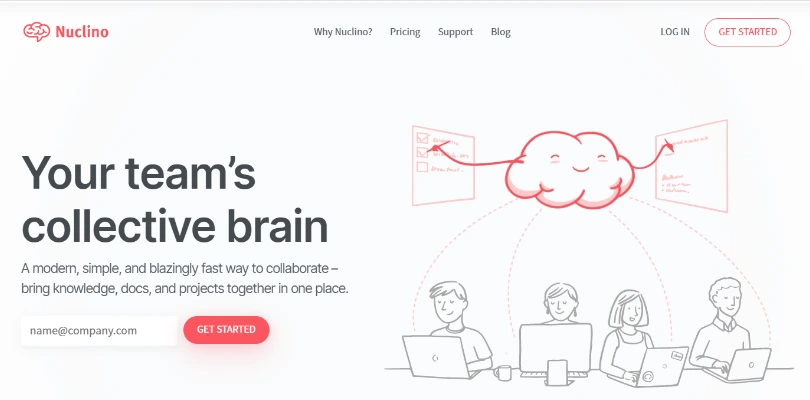
Nuclino is an all in one workspace for team collaboration, knowledge sharing, and project management. The tool offers a frictionless editor and built-in templates that help you create well-structured articles for internal use.
You can use its mobile-friendly interface to share knowledge and collaborate from any place or device. The tool lets you comment, suggest, and mention users, while its version history lets you restore any unwanted changes. This knowledge base software like Archbee also enables you to work productively by integrating with 40+ external applications like Jira, Slack, etc.
Key Features:
- Instantly find documents with an efficient search engine
- Organize articles in clusters & workspaces
- Create neatly designed content with a clutter-free text editor
- Accelerate content creation with ready-made templates
- Streamline work with 40+ external integrations
Choose it for: Project & knowledge management
3rd party integrations allowed: Yes
Suitable for: Enterprises of all sizes
Pros and Cons:
| Pros | Cons |
| 1. Suitable for non-technical users 2. Excellent task management capabilities |
1. Lacks a reporting system 2. Doesn’t offer an offline mode |
Case Study:
SHREC is a research organization that assists NASA with the critical computing required for their space missions. The company uses advanced algorithms and solutions that help NASA gauge the challenging environment of space.
The organization consists of 4 universities and 30+ government and private industry partners who work closely to solve scientific challenges through research. They needed a stable knowledge foundation to help the students enrolling in their centers learn faster and perform better.
SHREC picked Nuclino to address their needs. The tool helped their students and researchers document experiments and findings in a time-efficient manner. They could instantly search and share these documents with other users. The tool’s mobile-friendly interface and modern text editor allowed users to access the platform and document knowledge on the fly.
ServiceNow

Pricing: Contact the company for a quote
ServiceNow is an IT service management tool with various workflows suitable for knowledge sharing and employee onboarding. The tool offers a detailed reporting feature that displays several performance metrics to help find and address knowledge gaps.
You can use its closed-loop feedback management system to act on the feedback and suggestions of your employees promptly. ServiceNow also enables you to work more productively by integrating the platform with external tools like Jira, Google Workspace, etc.
Key Features:
- Efficiently pull up content with a modern search engine
- Find & address knowledge gaps with in-depth reporting
- Integrate effortlessly with external apps like Jira, Google Docs, etc.
- Promptly act on internal feedback with a closed loop process
- Secure your knowledge base with 256-bit encryption
Choose it for: ITSM, employee onboarding & knowledge management
3rd party integrations allowed: Yes
Suitable for: Medium to large scale companies
Pros and Cons:
| Pros | Cons |
| 1. Powerful third-party integrations 2. Fast & responsive platform |
1. Steep learning curve 2. Complex navigation |
Slab
Pricing: Starts at $6.67/user/month
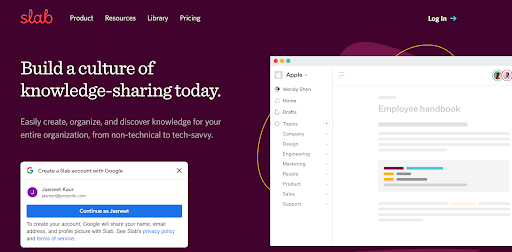
Slab is a simple knowledge base software ideal for creating a knowledge-sharing culture within your organization. Its blend of modern features allows you to document all your processes and share them with employees.
The tool is equipped with a unified search engine that provides quick access to information. It offers easy integrations with productivity tools like Asana, Jira, etc. The tool is also mobile-friendly, giving you round-the-clock access to knowledge from a device of your choice.
Key Features:
- Use the unified search to quickly find information
- Speed up content creation with ready-made templates
- Organize content effectively with Slab Topics
- Integrate effortlessly with tools like Jira, Asana, etc.
- Secure data using multi-factor authentication & encryption
Choose it for: Remote teams, employee onboarding & knowledge sharing
3rd party integrations allowed: Yes
Suitable for: Companies of all sizes
Pros and Cons:
| Pros | Cons |
| 1. Seamless third-party integrations 2. Highly searchable knowledge base |
1. Lacks built-in templates 2. Doesn’t offer a reporting feature |
Case Study:
Headquartered in Los Angeles, AvantStay is a technology-first company that offers group travel and hospitality services. They use tech automation to provide first-class rental accommodation in 20+ locations across the US.
The company used Google Workspace for internal knowledge management, but the increase in business and workforce called for a better solution. They needed a scalable way to share and access information.
The company turned to Slab to address this issue. The tool helped them document and share employee handbooks, HR policies, process guides, and other business information. Their employees can now easily access these documents from the convenience of their device and location. AvantStay loved Slab’s unified search function as it allowed them to instantly look for essential information.
Notion

Pricing: Starts at $4/user/month
Notion is one of the best Archbee knowledge base alternatives available in the market. The platform is suitable for project management, knowledge sharing, and employee onboarding.
Users love the minimalistic interface of the tool as it is easy to comprehend and navigate. The tool offers customizable knowledge base templates that save the time spent on structuring and formatting documents. Notion integrates effortlessly with the rest of your tech stack, reducing the need to juggle between apps.
Key Features:
- Boost content creation with built-in templates
- Use Gantt and Kanban setups to efficiently manage your projects
- Customize your workflows with a drag-and-drop editor
- Download the iOS & Android apps for easy mobile accessibility
- Improve productivity by integrating the tool with tools like Jira, GitHub, etc.
Choose it for: Project management & knowledge sharing
3rd party integrations allowed: Yes
Suitable for: Freelancers & small to medium-sized organizations
Pros and Cons:
| Pros | Cons |
| 1. Minimalistic interface for users with no coding experience 2. Top notch project management capabilities |
1. Offline mode is prone to glitches 2. Integrations need improvement |
Case Study:
Launched in 2015, Karrot is a community marketplace that enables neighbors to buy and sell goods, and share information regarding their neighborhood. They are currently the largest marketplace for pre-owned goods and the second-largest eCommerce company in South Korea.
Since its launch, the company’s consistent growth has led to an increased workforce. They required a knowledge management solution to reinforce culture and share business information internally.
Karrot chose Notion to solve these issues. The tool helped them create a well-documented knowledge base of all essential information and share it with their employees. The documents also helped new hires learn about their company culture and work processes.
Comparison Table: Best Alternatives of Archbee Knowledge Base
| Software | Price | Built-in reports | Ready to use templates | Online editor | Roles & permissions | External integrations |
| Archbee | $30/5 users /month | N | Y | Y | Y | Y |
| ProProfs Knowledge Base | Starts from $49/author/month | Y | Y | Y | Y | Y |
| Guru | $10/user/month | Y | Y | Y | Y | Y |
| Bloomfire | $25/user/month | Y | N | Y | Y | Y |
| Bitrix24 | $37.5/5 users /month | Y | Y | N | Y | Y |
| Confluence | $5.50/user/month | Y | Y | Y | Y | Y |
| Whatfix | Not mentioned | Y | Y | Y | Y | Y |
| Nuclino | $5/user/month | N | Y | Y | Y | Y |
| ServiceNow | Not mentioned | Y | Y | Y | Y | Y |
| Slab | $6.67/user/month | Y | Y | Y | Y | Y |
| Notion | $4/user/month | Y | Y | Y | Y | Y |
Final Verdict: Which Archbee Alternative Should You Go For?
Archbee is a powerful knowledge management software for team collaboration, knowledge sharing, and employee onboarding. However, the tool has significant drawbacks that make users look for alternatives. For instance, the lack of a mobile application makes it difficult for users to access the knowledge base on the fly. Also, it doesn’t offer reports and analytics, preventing users from analyzing content and finding knowledge gaps.
To pick the best Archbee alternative, you must weigh all your options carefully, review the features and pricing, and select the tool that perfectly suits your business.
If you are looking for a specialized standalone tool that doesn’t burn a hole in your pocket, then ProProfs Knowledge Base can be your ideal pick. And if you need a sophisticated, feature-rich tool, you can go for Confluence.
FREE. All Features. FOREVER!
Try our Forever FREE account with all premium features!